# Integrations
Connect Superwall Agents to Superwall, GitHub, Slack, provider tools, skills, and hosted machine environment variables.
Integrations give agents more useful tools. Some are preconfigured in Superwall Agents. Others require you to connect an account or add environment variables.
 Preconfigured integrations [#preconfigured-integrations]
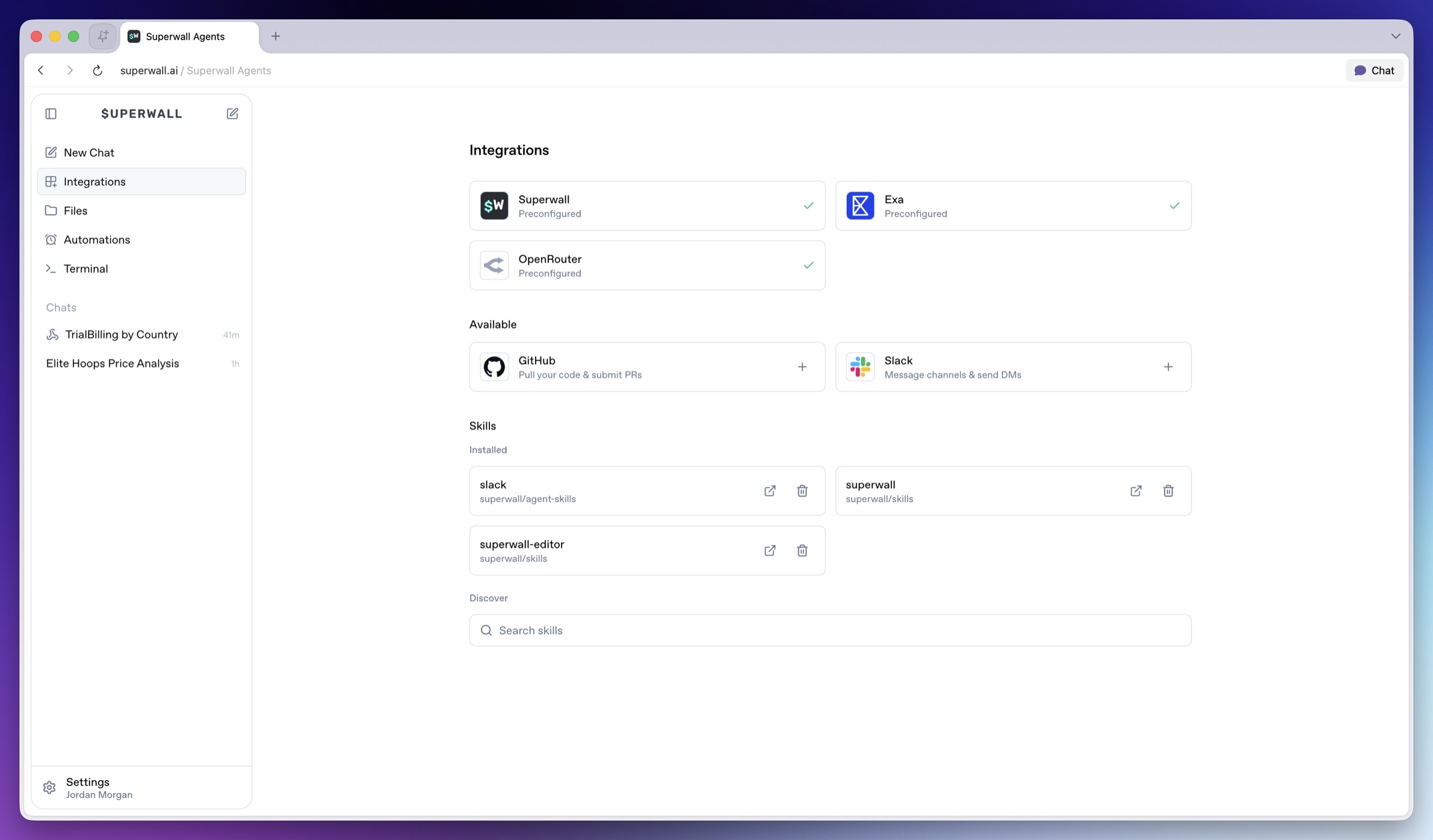
Agents have these integrations preconfigured:
* **Superwall**: Provides the selected organization ID and managed API key to new turns when you select an organization.
* **Exa**: Enables web search and web fetch tools when available.
* **OpenRouter**: Powers the model provider connection when available.
If an agent reports that provider access is missing, check [Billing and Usage](/docs/agents/billing-and-usage) or add your own provider keys in the environment.
GitHub [#github]
Connect GitHub when agents need to:
* Receive GitHub credentials on the hosted machine.
* Work with repositories through the installed machine tooling.
* Use GitHub-aware skills or command-line tools when those are available.
Open **Integrations**, then choose **GitHub**. After OAuth completes, Superwall Agents makes GitHub credentials available to new agent turns on the hosted machine.
Slack [#slack]
Connect Slack when agents need to:
* Receive a Slack bot token on the hosted machine.
* Send channel updates or direct messages through Slack-aware tooling.
* Reference Slack context when installed tooling supports it.
Open **Integrations**, then choose **Slack**. After OAuth completes, Superwall Agents makes Slack credentials available to new agent turns on the hosted machine.
Skills [#skills]
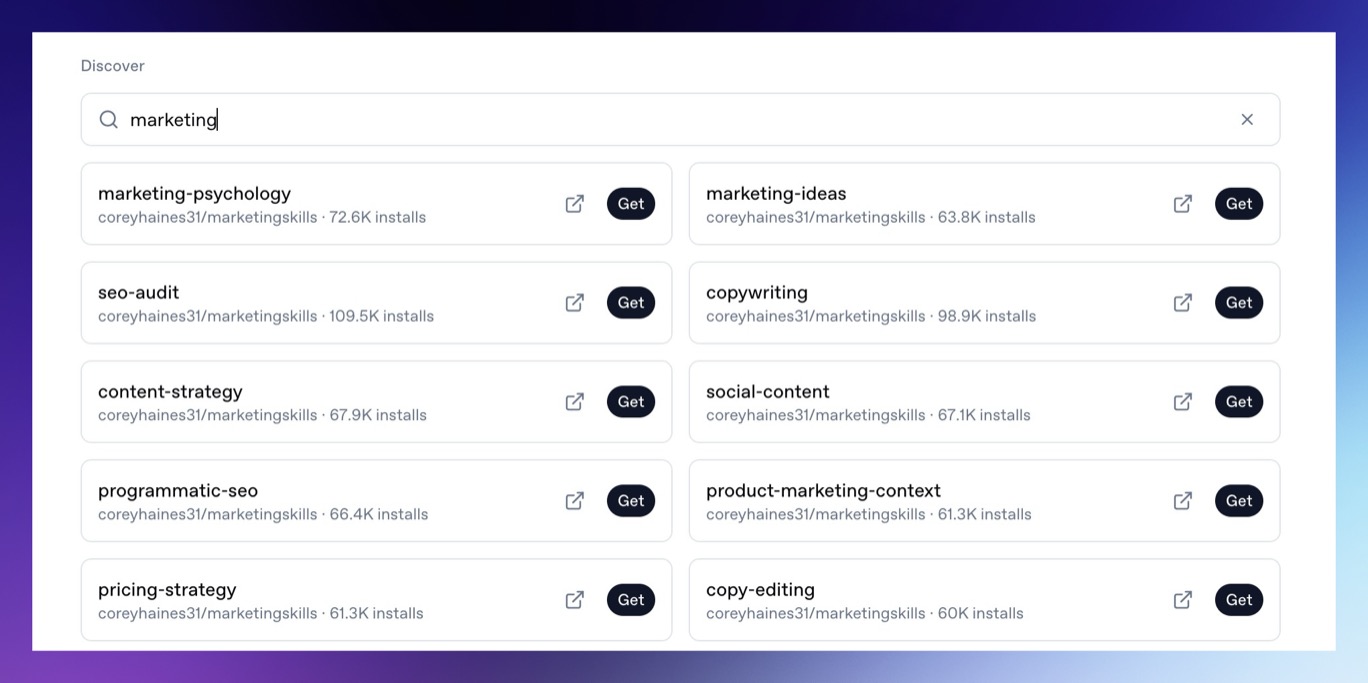
Skills add specialized instructions and tools for agents. The Integrations page lets you search, install, and uninstall global skills. Use the search field to find skills by name or workflow. When you find the one you want, click **Get** to install it for future agent work.
Preconfigured integrations [#preconfigured-integrations]
Agents have these integrations preconfigured:
* **Superwall**: Provides the selected organization ID and managed API key to new turns when you select an organization.
* **Exa**: Enables web search and web fetch tools when available.
* **OpenRouter**: Powers the model provider connection when available.
If an agent reports that provider access is missing, check [Billing and Usage](/docs/agents/billing-and-usage) or add your own provider keys in the environment.
GitHub [#github]
Connect GitHub when agents need to:
* Receive GitHub credentials on the hosted machine.
* Work with repositories through the installed machine tooling.
* Use GitHub-aware skills or command-line tools when those are available.
Open **Integrations**, then choose **GitHub**. After OAuth completes, Superwall Agents makes GitHub credentials available to new agent turns on the hosted machine.
Slack [#slack]
Connect Slack when agents need to:
* Receive a Slack bot token on the hosted machine.
* Send channel updates or direct messages through Slack-aware tooling.
* Reference Slack context when installed tooling supports it.
Open **Integrations**, then choose **Slack**. After OAuth completes, Superwall Agents makes Slack credentials available to new agent turns on the hosted machine.
Skills [#skills]
Skills add specialized instructions and tools for agents. The Integrations page lets you search, install, and uninstall global skills. Use the search field to find skills by name or workflow. When you find the one you want, click **Get** to install it for future agent work.
 Install skills when you want repeatable workflows, such as:
* Superwall SDK integration guidance.
* Platform-specific implementation steps.
* Internal company workflows.
* Code review or release processes.
The [Superwall Skill](/docs/dashboard/guides/superwall-skill) is recommended when you want an agent to use live Superwall docs, API helpers, and SDK quickstarts.
Install skills when you want repeatable workflows, such as:
* Superwall SDK integration guidance.
* Platform-specific implementation steps.
* Internal company workflows.
* Code review or release processes.
The [Superwall Skill](/docs/dashboard/guides/superwall-skill) is recommended when you want an agent to use live Superwall docs, API helpers, and SDK quickstarts.